

10 on the bill
 NL
NL KS
KS BF
BF WL
WL PE
PE SB
SB OP
OP
Send Instant Acknowledgments Keep Replies Human
Louis DucruetFounder and CEO, EpreztoOne note, I run a company rather than freelance, but the communication we automated is exactly the kind a solo operator can use, so the lesson transfers.
The process clients appreciate most is the instant, reliable acknowledgment of anything they send. The instinct is to automate the impressive stuff, reports, deliverables, follow-ups, and leave the boring acknowledgment manual. That is backwards. What erodes a client relationship is silence, not lack of polish.
At Eprezto one of the first things we automated was an instant acknowledgment of every inbound inquiry, routed to the right person with the context they need to respond well. Before that, response times depended on who happened to be checking their inbox, so some people heard back in minutes and others waited hours. The automation removed the inconsistency, not the human reply.
The mechanism is that automation should kill the silence and the scheduling friction while a person still handles the judgment. The client gets immediate confirmation that they were heard and a clear sense of what happens next, which is most of what they actually want. The real answer still comes from a human, because anything needing context cannot be templated.
The honest part is that we tried automating the actual follow-up content too, and quality dropped immediately, because every client situation needs judgment a template cannot replicate. So we drew the line at acknowledgment and routing.
My advice is to automate the confirmation and the handoff so a client never sits in silence, and keep the substance human. Speed and certainty are what clients reward, and those are exactly the parts you can safely automate.
Deliver Tailored Prep Reminders Clients Value
Natalia LavrenenkoMarketing Manager, Smarfle CRMI freelanced as a makeup artist for seven years before moving into full-time marketing, and the single process I automated that clients consistently mentioned in reviews was the pre-event reminder sequence with skin prep instructions tailored to the type of event.
A bride booking for her wedding got a different reminder cadence than a client booking for a corporate headshot or a music video shoot. The wedding sequence started 14 days out with a hydration and exfoliation guide. The headshot client got a 5-day-out reminder with simpler skincare prep. Music video shoots got a 24-hour reminder about not changing their hair product the morning of.
What clients appreciated wasn't the automation itself. It was that the prep advice felt like it had been written for their specific event. Brides told me they felt taken care of. Corporate clients said they showed up looking better in photos because they'd actually followed the skincare prep instead of trying to remember it on their own.
The implementation was simple. I used a scheduling tool that let me tag each booking with the event type, then sent the corresponding sequence automatically. The hours I saved by not writing each reminder by hand went into doing more bookings on weekends.
The broader lesson I took into my marketing career later is that automation done right doesn't feel like automation to the customer. It feels like attention. The hour I saved writing the reminder is the hour the client never knew was automated, because what they got felt personalized. That's the bar for any client-facing automation. If it feels like a robot wrote it, you've automated the wrong thing.
Standardize Weekly Orders Remove Confusion
Keagan StapleyOwner, NYC Meal PrepAt NYC Meal Prep, one of the most impactful improvements has been standardizing how weekly orders are placed, confirmed, and updated instead of handling everything through constant back-and-forth messages. Rather than managing each request individually in an unstructured way, I set up a clear, repeatable process so clients know exactly when to submit their meals, how changes are communicated, and what to expect each week. This has significantly reduced confusion, cut down on delays, and made operations much easier to manage on the backend. Clients appreciate it because it removes uncertainty and ensures their orders are captured accurately every time, resulting in a smoother, more reliable experience overall.
Streamline Appointments to Fast Reports
Belle FlorendoMarketing coordinator, My Accurate Home and Commercial ServicesThe one process we automated that clients rave about is our inspection scheduling-to-report delivery workflow. At Accurate Home and Commercial Services, we coordinate a lot of moving pieces across the Greater Houston area, inspections in Kingwood one day, pest control in The Woodlands the next, a construction consult in Conroe after that. So we built an automated flow that confirms the appointment, sends reminders, and then delivers the finished inspection report straight to the client's inbox the moment it's finalized.
Here's why it works. When someone books a general, TAS/ADA, or IECC energy inspection through myaccuratehomeservices.com, they immediately get a confirmation with exactly what to expect and how to prep the property. The day before, an automated reminder goes out. After the inspection, instead of waiting and wondering, the client gets their report automatically with a clear summary up front and the detailed findings below. Real estate agents especially love this because they're working against tight closing deadlines and need answers fast.
The reason clients appreciate it isn't the technology, it's the trust. In our world, people are nervous. They're buying a home, selling a property, or fighting a pest problem. Automating the communication means nobody ever feels forgotten. Every step is acknowledged, and that consistency is what builds confidence in a company carrying 25 years of experience and licenses like TREC# 4860 and TPCL# 0616331.
My advice to other operators: automate the touchpoints that reduce anxiety, not just the ones that save you time. We still pick up the phone for the hard conversations and tradeoffs, automation handles the predictable stuff so our people can focus on the judgment calls. That balance is what turned a routine inspection report into the moment clients tell their friends about. Set it up once, and it quietly earns referrals for years.
Provide Early Rank Visibility Build Trust
Wayne LowryMarketing coordinator, Local SEO BoostAt Local SEO Boost, the one process we automated that clients rave about is our 48-72 hour ranking update notification. Here's the thing about local SEO work: clients are anxious. They've been burned by agencies that promise the moon and then go dark for weeks. So the moment we started automating progress communication, everything changed.
When a business signs up, we set them up with automated keyword ranking tracking, and the system pushes updates as their Google Business Profile starts climbing within specific mile radii around their location. Instead of a client wondering "is anything actually happening?", they get to watch the needle move in near real-time. That visibility within the first 48-72 hours is what builds trust faster than any sales call ever could.
The reason it works comes down to how we think about trust through clear communication. People don't just want results, they want to see the work happening. Automating that update loop means we're never the bottleneck. A small business owner running a coffee shop or a dental practice doesn't have time to email us asking for status. The system tells them before they have to ask. That's the whole game.
It also helps us prioritize honestly. When a client can see their 1-mile radius ranking surge before the 5-mile catches up, we can have a real conversation about tradeoffs and timing instead of hiding behind jargon. Transparency turns a vendor relationship into a partnership.
My advice to any freelancer or gig worker: automate the reassurance, not just the deliverable. The status update, the "here's where we are" moment, that's what clients actually remember. Pair that with a low-risk entry point like our 30-day free trial with no contracts, and you remove the fear that makes clients micromanage. Give people visibility and a way out, and they'll stay because they want to, not because they're locked in. That's the experience upgrade.
Sync Availability Across Separate Calendars Privately
Paul EvertonFounder, CalendarBridgeAutomate Availability, Not the Relationship
At CalendarBridge, we often see freelance consultants and gig workers automate the process of keeping their availability aligned across multiple client calendars.
That may sound simple, but it is one of the biggest hidden headaches in fractional work. Many consultants are embedded inside several client environments at once. One client may use Outlook. Another may use Google Workspace. A third may give them a contractor account in Teams. The consultant is expected to show up like an insider, but they are still coordinating work across multiple organizations.
Before automation, many were manually blocking time, copying meetings between calendars, or trying to remember which client moved which meeting. That creates two bad client experiences: either the freelancer misses something, or they over-share details from another client's calendar.
The better system is to automatically sync availability so each client can see when the consultant is busy, without seeing who they are meeting with or what the meeting is about. Clients appreciate it because scheduling becomes easier while confidentiality remains intact.
One consultant told us this changed how professional he looked. Before, people would message him with, "Are you joining?" after a meeting moved on one client's calendar but not another. Now, he sees the change in his main calendar and shows up prepared. The client does not see the behind-the-scenes juggling. They just experience someone reliable.
That is the best kind of automation for gig work. It does not replace the human relationship. It removes the messy coordination around it, so the client feels like they are working with someone organized, responsive, and easy to trust.
Maintain Clear Intake Status From Start
Scott BrownFounder, Focus Group PlacementOne process I've automated that clients genuinely appreciate is onboarding communication — specifically, the sequence of emails and status updates that keep clients informed from the moment they engage with us through project milestones. Using automated workflows, clients receive timely confirmations, progress updates, and next-step instructions without anyone on our team having to manually draft and send each message. The result is that clients feel consistently informed and cared for, which builds trust and reduces the back-and-forth that can otherwise slow projects down. It frees our team to focus on the higher-value work that actually requires human judgment, and clients consistently tell us the communication feels seamless and professional.
Confirm Tomorrow's Session With Personal Text
Olivia ParksOwner + Lead Organizer, Nola OrganizersOne client communication process we've automated is confirming every appointment the day before a client's scheduled session. Our CRM automatically sends a personalized text message that includes the client's name, the date and time of their session, and which team member they'll be working with. We also let them know we're looking forward to seeing them.
Clients seem to appreciate it because it serves as a helpful reminder, but it also shows that we're organized, paying attention to the details, and prepared for their project. It gives them confidence that everything is on track and that they won't be left wondering when or who is showing up.
Since implementing it, we've had fewer scheduling issues, better communication, and a smoother experience for both our team and our clients. At the end of the day, clients want to feel like they're being taken care of, not like they're just another appointment on a calendar. That's why we personalize the message with their name, their appointment details, and the team member they'll be working with. It's a simple touch, but it helps clients feel informed, prepared, and valued before we even arrive.
Structure Milestones and Accelerate Approvals
 Kruno SulićFounder & SaaS Product Builder, Cliprise
One client communication process I've found especially valuable is an automated milestone update and approval workflow. Instead of relying on scattered emails or ad hoc check-ins, we use a simple structured update whenever a project reaches a new stage. Each update includes what was completed, what is currently waiting for review, the next deadline, and a direct link for the client to review or approve the asset.
Clients tend to appreciate this because it removes uncertainty. They do not have to ask where the project stands or search old threads for the latest version. They get a predictable rhythm of communication and a clear action to take.
The biggest improvement is usually speed and clarity. Feedback cycles move faster because reminders are tied to the project stage rather than dependent on someone remembering to follow up manually. Approvals are less likely to stall, and misunderstandings drop because every update follows the same format.
A practical rule I like is to automate the parts of communication that are repetitive and logistical, but not the parts that require judgment. Status updates, reminder prompts, review links, and next-step summaries are great candidates for automation. Strategy conversations, creative tradeoffs, and anything sensitive should still stay human.
That balance tends to create the best client experience. Automation does not replace the relationship. It supports it by making routine communication more reliable. When clients always know what has been done, what happens next, and what is needed from them, the whole engagement feels more organized and easier to trust.
Schedule Property-Based Follow-Ups That Help
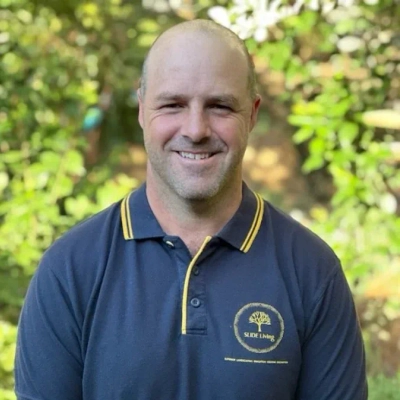 Gregory HairOwner, Landscaper, SLIDE Living
One client communication process I would automate is the post-job follow-up, especially for seasonal landscaping work. After a job, the client should not just disappear into an invoice folder. I would set a reminder around the property, not the sale: when mulch needs checking, when irrigation should be reviewed, when pruning might be due, or when a drainage issue should be looked at again after rain. Clients appreciate that because the message feels useful, not pushy. It improves the experience because they feel like you remember their property and the work you did, instead of only contacting them when you want the next job.